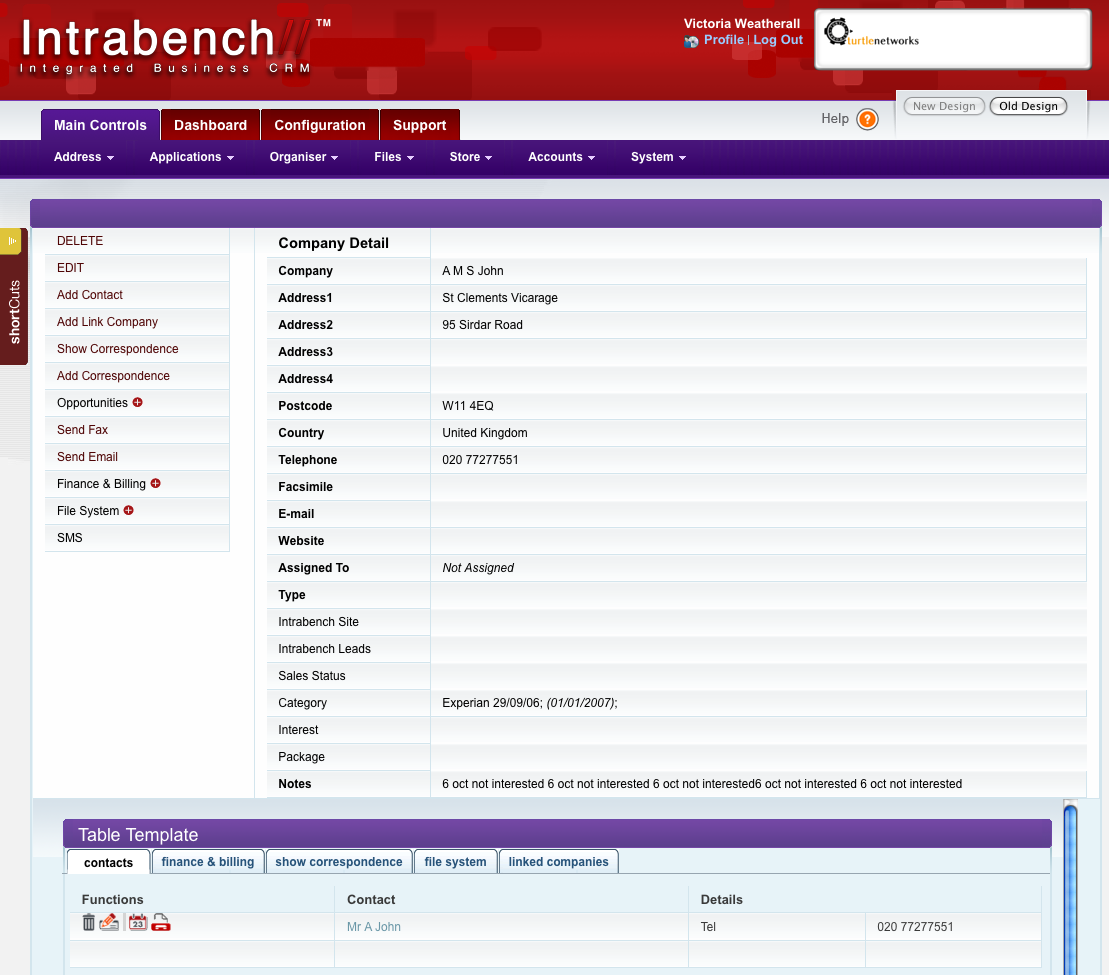
At the heart of the system is the people you deal with and their details. It's necessary to keep a list of these in an easy searchable format similar to an address book but with advanced features. In Intrabench the address book is laid out so that each company you add can have contacts placed within it, thus not duplicating the company details and allowing any company details updated to automatically propagate to the contacts.
Custom Fields
Each company and contact may have additional fields added at your discretion, for example you may have Marketing as a new field and this can be set as a drop down box listing all the places they may have heard of you from. In this way you know where they heard about you from by that conference, trade show, networking event, advertisement in issue 38 of a magazine etc. This also then allows you to bulk email, fax or SMS to these contacts.
Each contact in the system can then also have access to your Intrabench system allowing them if you wish to see files you have available for them as well as invoices that are due or have paid where they can print off duplicates.
Easy To Add Contacts
Adding a new contact or company could not be easier since Intrabench will allow you to enter all details related to a new contact on a single screen. Essential if you are on the phone to the customer and they give you details in a random order, you do not need to go back and forth between different screens updating and saving information.
Simple To Search
The search facility allows you to search for company details from one screen and if you require advanced features there is an advanced button where you can list more search criteria. This simplifies normal use but at the same time allowing you access to advanced features if you need them.



 Intrabench provides the usability and flexibility needed to support our decentralised structure. Collaboration has improved and we have a more complete view of the task lists and revenue forecasts. Now we can focus on sales success across the organisation with more confidence.

 What is Intrabench?
 Features
 Pricing
 Purchase
 Why Us?
 Home
Home